Scouting America

Graphic Arts
Graphic Arts
Merit Badge
Scouting America Merit Badge Hub
Requirement Updates 2026

This Merit Badge’s Requirements have recently been updated in 2025 Scouting America Requirements (33216). Please read more about “Requirements” on the Merit Badge Hub homepage. The previous version of the Merit Badge requirements can be found in Scoutbook.

Graphic Arts

Merit Badge Overview

The field of graphic arts includes many kinds of work in the printing and publishing industries. Graphic arts professionals are involved in the creation of all kinds of printed communication, from business cards to books to billboards. The scope of printing communications is huge.
Graphic-Arts_merit-badge-overview

Graphic Arts

Merit Badge Requirements

The previous version of the Merit Badge requirements can be found in Scoutbook

The requirements will be fed dynamically using the scout book integration
NOTE: The official merit badge pamphlets are now free and downloadable HERE or can be purchased at the Scout Shop.
1. Review with your counselor the processes for producing printed communications: offset lithography, screen printing, electronic/digital, relief, and gravure. Collect samples of three products, each one produced using a different printing process, or draw diagrams to help you with your description.
Resources: Intro to Printmaking (video)
Learning About Printmaking (video)

2. Explain the differences between continuous tone, line, and halftone artwork. Describe how digital images can be created and/or stored in a computer.
Resources: Line Art, Continuous Tone and Halftone (website)
Halftone Printing Explained for Screen Printers (video)
What Is a Digital Image? (video)
3. Design a printed piece (flyer, T-shirt, program, form, etc.). Explain your decisions for the typeface or typefaces you use and the way you arrange the elements in your design. Explain which printing process is best suited for printing your design. If desktop publishing is available, identify what hardware and software would be appropriate for outputting your design.
Resources: The Basics of Graphic Design (video)
Best Graphic Designing Software (video)
4. Produce the design you created for requirement 3 using one of the following printing processes:
Resource: Prepress Tips—How To Set Up Your Digital Print Files Correctly (video)
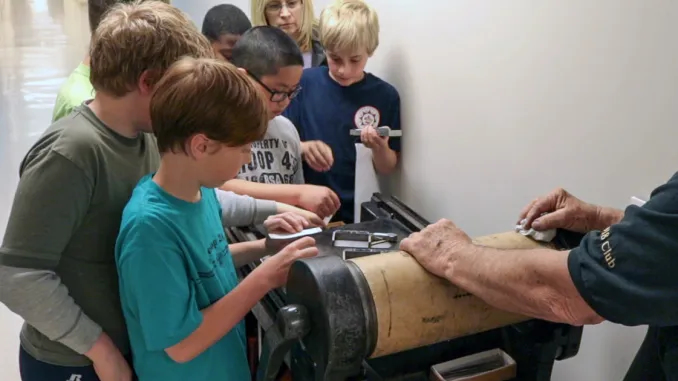
  • (a) Offset lithography. Make a layout, and produce a plate using a process approved by your counselor. Run the plate and print at least 50 copies.
    Resource: Offset Lithography Demonstration (video)
  • (b) Screen printing. Make a hand-cut or photographic stencil and attach it to a screen that you have prepared. Mask the screen and print at least 20 copies. Resource: Screen Printing Tutorial (video)
  • (c) Electronic/digital printing. Create a layout in electronic form, download it to the press or printer, and run 50 copies. If no electronic interface to the press or printer is available, you may print and scan a paper copy of the layout.
    Resource: What Is Digital Printing? (video)
  • (d) Relief printing. Create a layout in electronic form, download it to the press or printer, and run 50 copies. If no electronic interface to the press or printer is available, you may print and scan a paper copy of the layout.
    Resource: Relief Printmaking (video)

  • (a) Discuss the finishing operations of padding, drilling, cutting, and trimming with your counselor.
    Resource: Finishing in Printing (website)
  • (b) Collect, describe, or identify examples of the following types of binding: perfect, spiral, plastic comb, saddle stitch, and case.

6. Do ONE of the following, and then describe the highlights of your visit:

7. Find out about three career opportunities in graphic arts. Pick one and find out the education, training, and experience required for this profession. Discuss this with your counselor, and explain why this profession might interest you.
Resources: Desktop Publishing as a Career (video)
Printing Press Operators (video)
Graphic Design and Printing Career Guide (website)

Get the Graphic Arts Merit Badge Pamphlet

Merit Badge Pamphlets are now free and publicly available. Note: Always check www.scouting.org/skills/merit-badges/all/ for the latest requirements.

Discover more about

"Graphic Arts"

In Partnership with

View Related Merit Badges

Art
Chat Icon
Scoutly Toggle Size Close Chat
New Digital Resource Guides Available

New digital resource guides for three merit badges, Personal Management, Camping, and Cooking are now available. No pamphlet required, check them out today!